MakeKeeper 0.19: the label goes straight onto the drawer
MakeKeeper 0.19.0 went out on 18 October 2026. It is the first release where a label leaves the app and lands on a sticker, and the printer it was written for is the one a workshop has already bought: a pocket Niimbot that sits on the bench and talks over Bluetooth.
The part that used to break
Printing a code was never the hard half. Generating a QR for a drawer is a few lines; getting it out of the browser and onto adhesive paper is where the afternoon went. A Bluetooth label printer has no driver, so it does not appear in the operating system’s printer list, so it does not appear in the print dialog the browser opens — which left the usual workaround: export a PNG, open the vendor’s own phone app, find the drawer’s code again by hand, print, repeat for the next forty drawers.
0.19.0 removes that detour. You open an item, a storage cell or a project, press Print label, and the dialog shows the label as it will print, plus every route to the printer this particular workshop actually has.
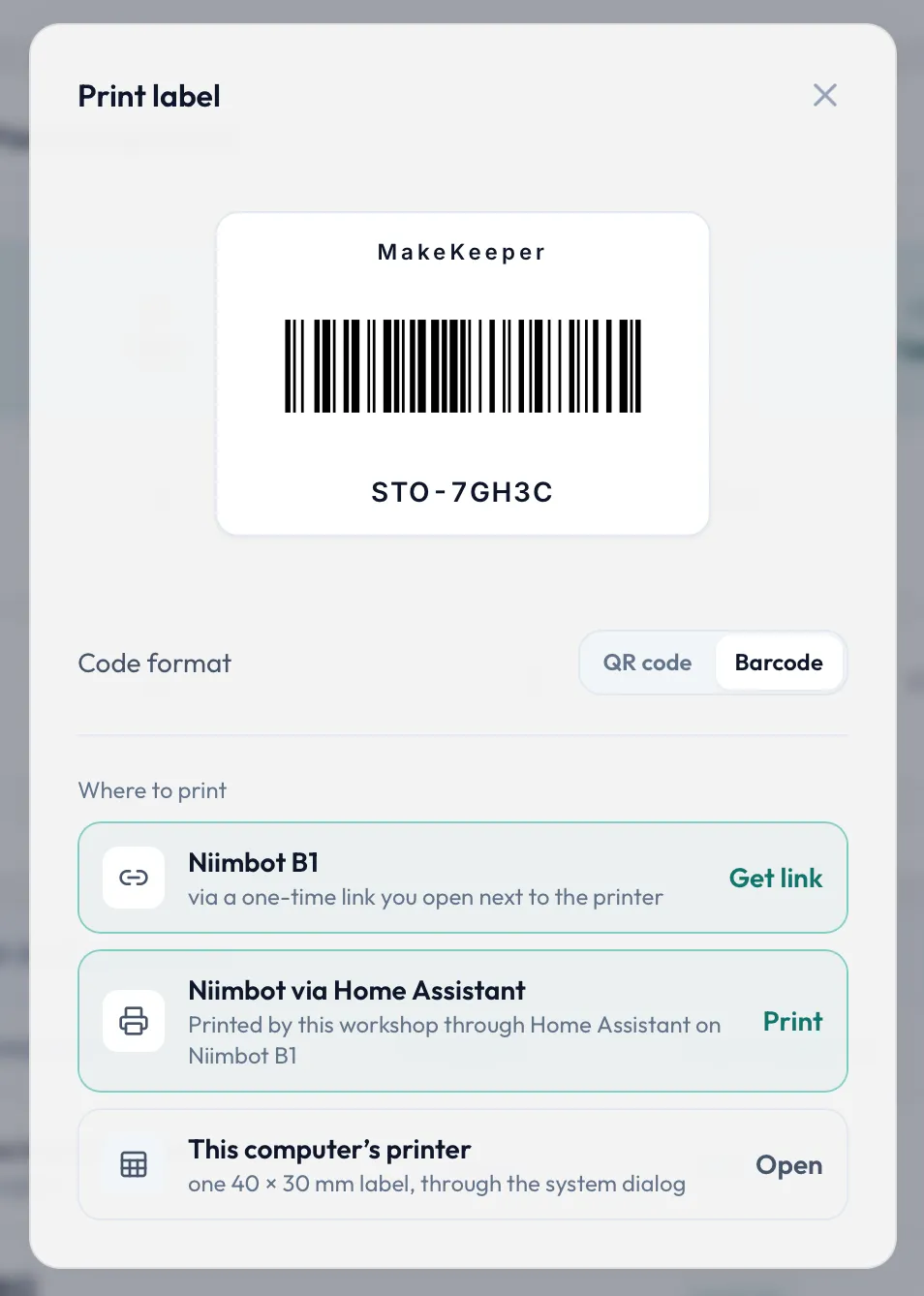
Four rows, because a workshop prints in more than one way
- Directly from the browser. In Chrome or Edge, on a desktop or on Android, MakeKeeper talks to the printer itself over Web Bluetooth: pick the B1 once, and the label prints.
- Through a one-time link. Safari and Firefox have no Web Bluetooth and are not going to grow it on anyone’s schedule. So the dialog hands you a link instead: open it in a Chromium browser on whatever device is standing next to the printer and the same label comes out there. No sign-in on that device, nothing installed.
- Through Home Assistant. If the house already runs Home Assistant with the hass-niimbot integration, connect MakeKeeper to it in Settings and print from any device at all — an iPhone included — with no Bluetooth involved on the device you are holding.
- This computer’s printer, through the system dialog, for sheets of labels on a laser printer, exactly as before.
The browser split is worth being blunt about: the direct route is a Chromium feature, not a web standard everyone implements. If you are on an iPhone, the link and Home Assistant are the two routes that work, and they work well enough that the shelf gets labelled either way.
What comes out
Labels carry the MakeKeeper name above the code, set in a face that survives a 203 dpi thermal head — which is the resolution at which thin letterforms turn into grey mush. What prints is what the dialog showed: no silent rescaling between the preview and the sticker. Print density and label stock are settings of the printer, kept once for the whole instance rather than asked again on every label.
Only the Niimbot B1 is claimed. It is the model this was built and tested against; other Niimbot models may well speak the same protocol, but nothing here promises they do until one has been put on the bench.
A card that asks how it is going
A week after an instance first meets this version, the dashboard shows a small card asking how MakeKeeper is working for you — a star, a release subscription, a wish or a complaint. Each person closes it for themselves, for good; it does not come back for a second ask. The same question stays in Settings → About for anyone who closed it and later changed their mind.
Smaller things
- The update checker ignores release candidates. A prerelease tag is never offered to an instance as an available update.
- There is a changelog now, rendered from the release notes themselves, so it cannot drift from what the releases say. Settings → Version & Updates links to it.
Previously: 0.18.2 — the images run natively on ARM. Still free, still yours, still one command to install.